

Stop Flattening Your Footage
LUTs are baked decisions. They clip and crush when you push. Afterlight keeps the image alive.

Before
LOG / Flat

After
AFTERLIGHT
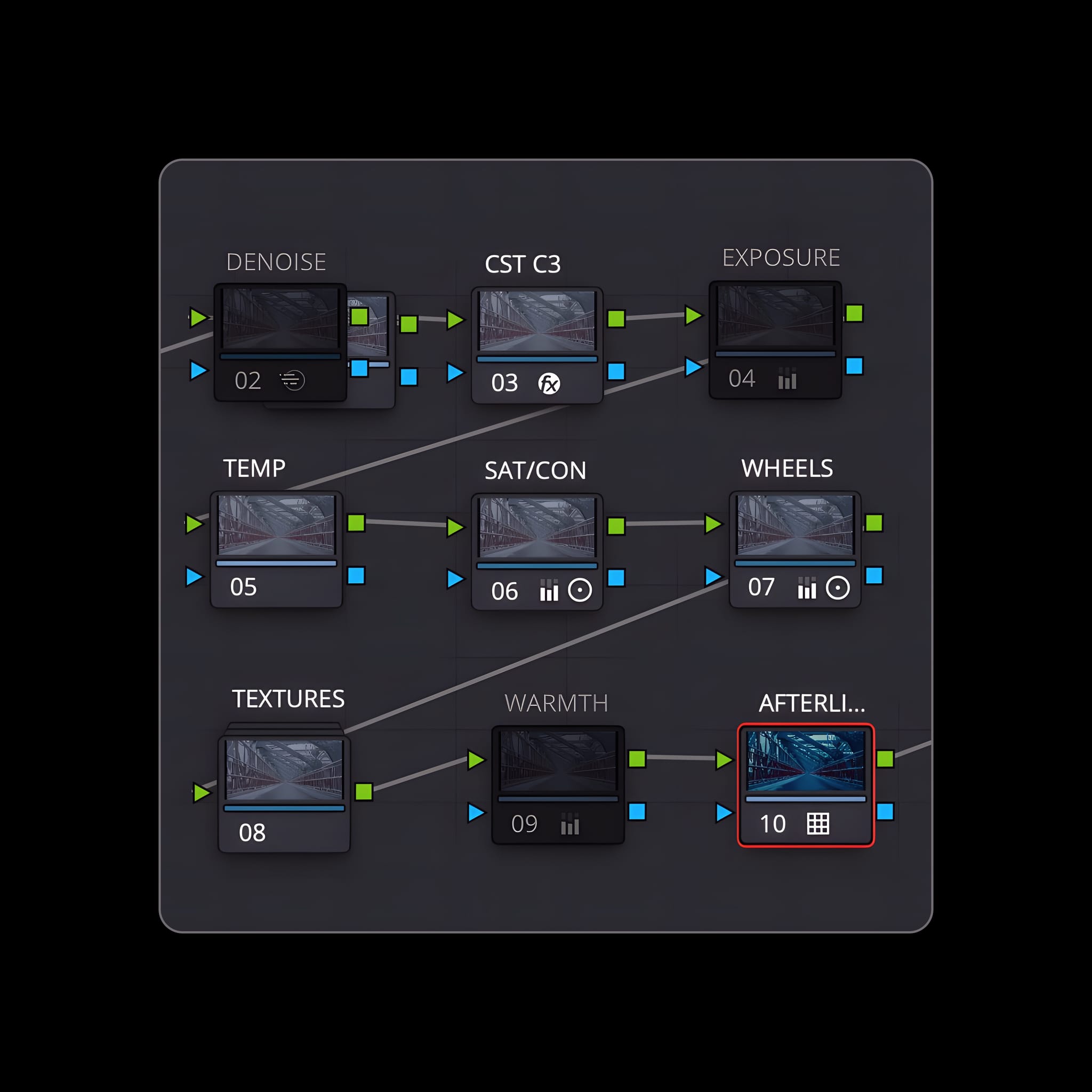
Built to Be Adjusted.
A structured node tree. Nothing hidden. Control at every stage.

Color Integrity Across Scenes.
Built to hold depth and skin tone under changing light.
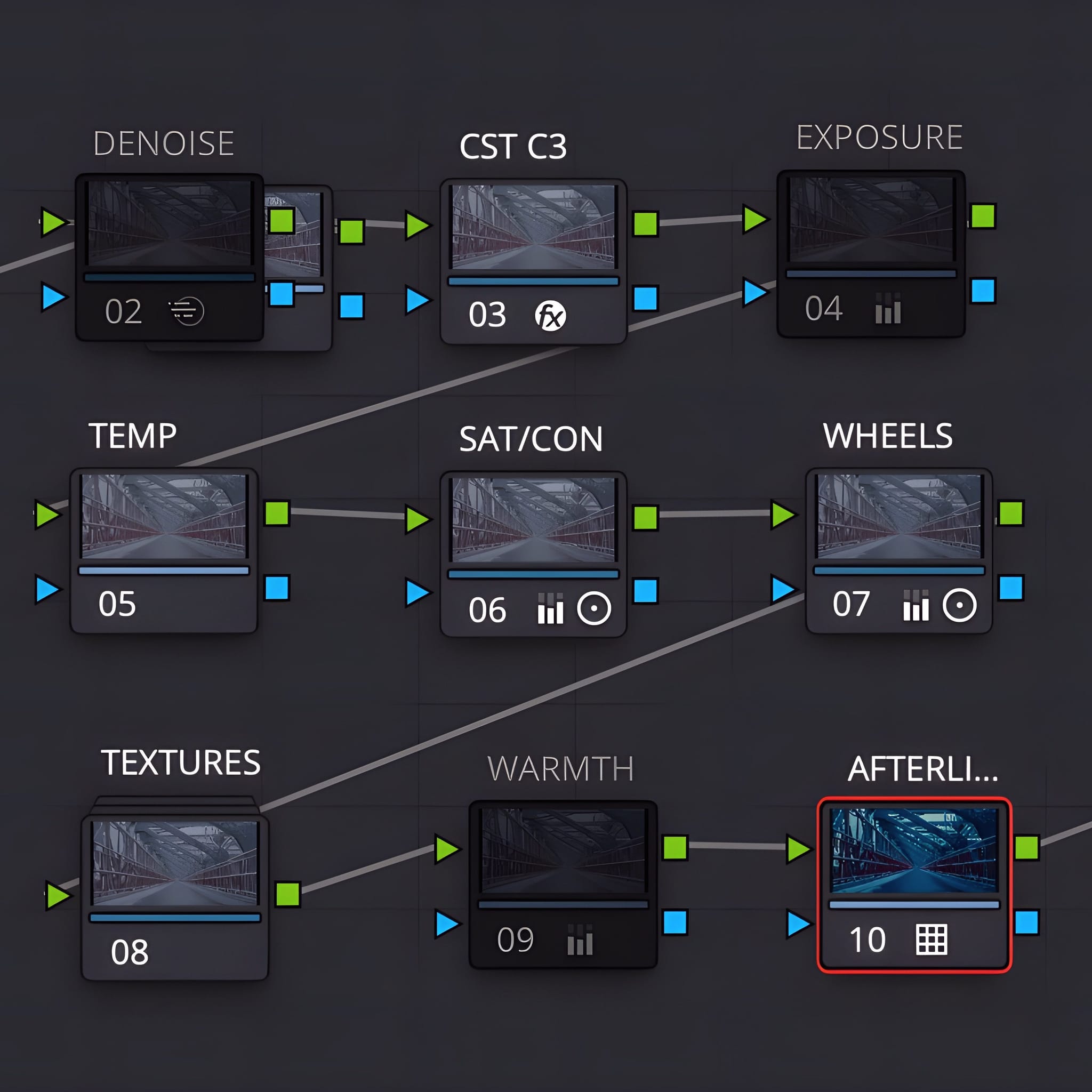

Professional Control. Fast Results.
- Node-Based PowerGrade — built natively in Resolve.
- Film-Inspired Response — refined, not baked.
- Texture & Range — smooth highlights, dimensional shadows.
- Skin Tone Protection — natural tones when pushing a look.
What people
are saying
Marcus"honestly i just steal the glow node from this and put it on everything. worth the money just for that alone. saves me 20 mins of tweaking every edit."
Sarah Jenkins"Works surprisingly well on iPhone Log. I was skeptical about using a heavy PowerGrade on iPhone 15 Pro footage, but it handled the 10-bit Log beautifully. It gets rid of that 'digital sharp' look instantly. If you're shooting mobile for social but want it to look like film, this is it."
Javier G."SINNING CITY is exactly what I was looking for. I tried to build a bleach bypass look myself but it always looked messy/noisy. This hits that sweet spot—gritty but clean. Using it on a short horror film right now."
Sarah T."I’m new to Resolve and Nodes were scary. Buying Afterlight helped me understand HOW a grade works. I just turn the nodes on and off to see what they do. It’s basically a cheat sheet for learning color."
Emily R."iPhone 15 Log + Afterlight = 🤯. I literally don't even touch the settings, just drag and drop and it looks like an A7siii shot. Game changer for my reels."
Does this work outside DaVinci Resolve?
No. Afterlight is a Resolve PowerGrade.
Is this just a LUT?Is this just a LUT?
No. It’s a node-based PowerGrade. Internal film elements are adjustable—nothing is “baked in.
Will it work with my camera codec? What about the iPhone?
Yes. It’s built for real-world footage across camera codecs—including iPhone.
Do I need to be an expert colorist?
No. You get a finished base immediately. The included breakdown tutorial shows exactly where to adjust.
Will it work with Color Management (CST/RCM/DWG)?
It’s designed to integrate into a modern Resolve workflow. Use the breakdown tutorial to place it correctly in your pipeline.
How do I install it?
Download → import PowerGrade → apply to clip. (Include this as a 3-step visual card.)
Do you offer updates?
Yes—include “lifetime updates” only if that’s true operationally.